
Building a reusable, state-driven UI component using JavaScript OOP
Let's Work TogetherThis project is a reusable counter component built using JavaScript Object-Oriented Programming (OOP).
The goal was to create a component that manages its own state and updates the user interface dynamically based on user interaction.
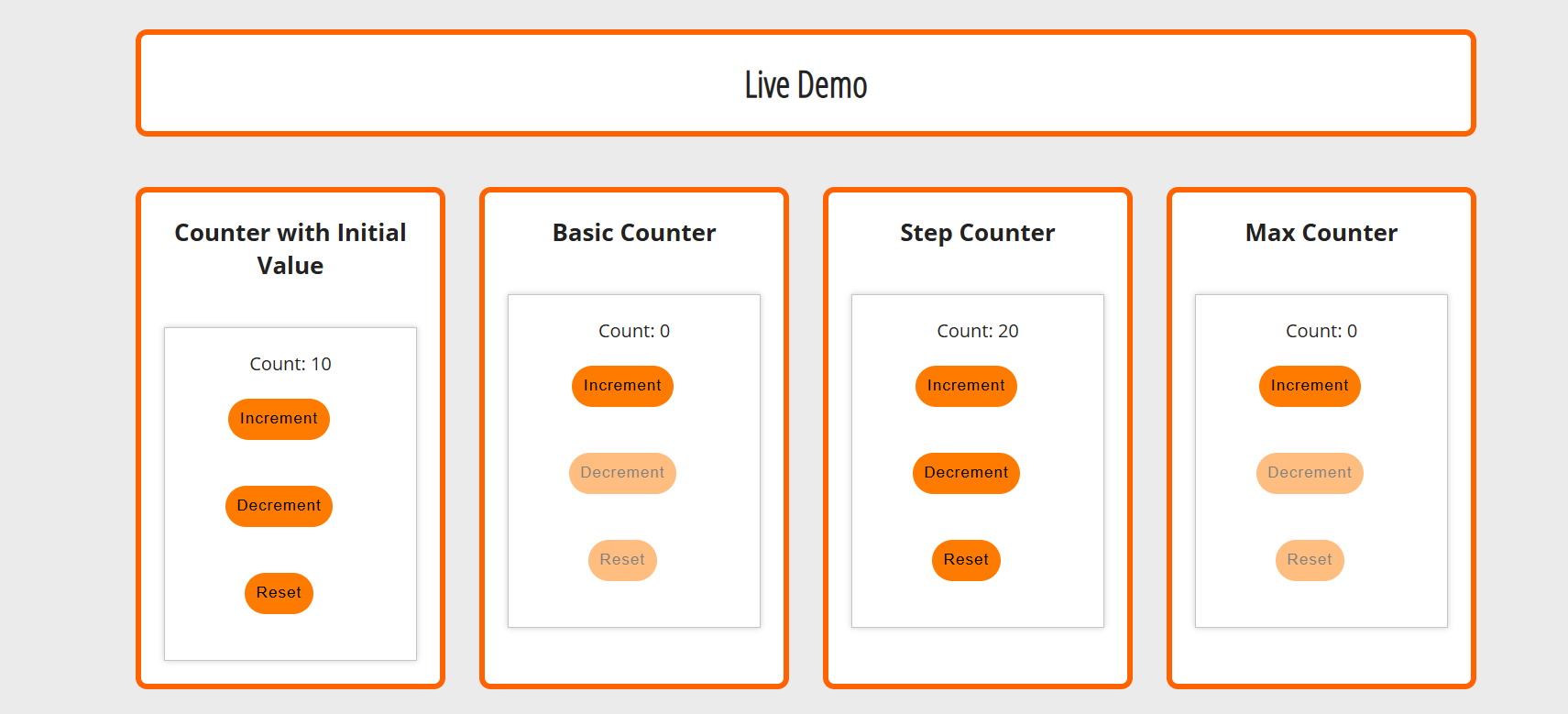
The project also includes a documentation and demo page that demonstrates how the component works and how it can be reused in other applications.
I explored JavaScript component design patterns and OOP concepts to understand how reusable UI components are structured.
The focus was on creating a system where each counter manages its own state independently, similar to how modern UI frameworks handle components.
Key Takeaways
I was responsible for the complete development and implementation of the counter system.
Tools:JavaScript (ES6), HTML, SCSS, GSAP
The final outcome is a fully functional, reusable counter component system with multiple variations.
This project highlights my ability to:
Want to see how this project was built? Explore the full source code, structure, and implementation details on GitHub.